IPTV Setup Guide for Every Device
Step-by-step guides to set up your IPTV service on any device in minutes
- 1 Go to Settings > Developer Options > Apps from Unknown Sources
- 2 Open a browser or downloader app
- 3 Enter the IPTV app download URL
- 4 Install and open the app
- 5 Enter your IPTV credentials
- 6 Enjoy streaming
- 1 Open Google Play Store
- 2 Search for IPTV Smarters Pro
- 3 Install and open the app
- 4 Select Xtream Codes API
- 5 Enter your login credentials
- 6 Start watching
- 1 Open the App Store on your Smart TV
- 2 Search for Smart IPTV or IPTV Smarters
- 3 Install the application
- 4 Enter MAC address on the website
- 5 Upload your M3U playlist
- 6 Restart the app and enjoy
- 1 Download IPTV Smarters Pro
- 2 Open the app and select Login
- 3 Choose Xtream Codes API
- 4 Enter server URL, username, and password
- 5 Click Add User
- 6 Browse channels and start streaming
- 1 Go to Settings > System Settings > Servers
- 2 Enter Portal URL provided
- 3 Restart your MAG device
- 4 Wait for channel list to load
- 5 Browse channels and enjoy
- 1 Download a compatible IPTV player (VLC, GSE, etc.)
- 2 Open the player settings
- 3 Add new playlist via URL
- 4 Enter the M3U URL provided
- 5 Wait for channels to load
- 6 Start streaming
IPTV Setup on Media Player in Canada
A media player is one of the most popular devices for IPTV streaming in Canada. Setting up IPTV is simple and takes just minutes. With the ability to sideload apps, you can easily install your preferred IPTV player and start watching thousands of live channels instantly.
Our step-by-step setup guide walks you through the entire process, from enabling developer options to entering your IPTV credentials. Our service delivers a seamless streaming experience across all supported devices.
- Compatible with all major media players
- Easy sideloading with Downloader app
- Full EPG & channel guide support
- 4K streaming on supported devices
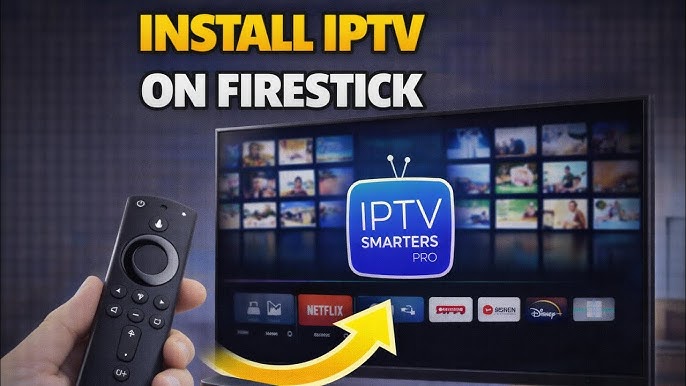
Media Player Setup
Most Popular Device
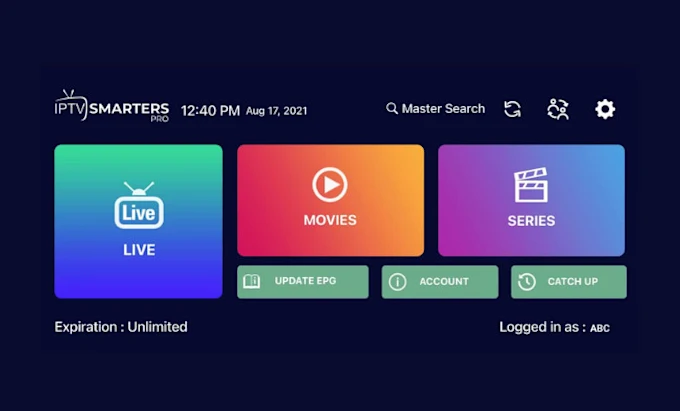
Smart TV
No Extra Hardware
Watch IPTV on Your Smart TV Without Extra Hardware
Enjoy IPTV directly on your Samsung, LG, Sony, or Hisense Smart TV without needing any additional hardware. Modern Smart TVs come with built-in app stores that support popular IPTV players like IPTV Smarters, making it easy to access thousands of live channels and on-demand content right from your television.
With native app support and direct M3U playlist compatibility, setting up IPTV on your Smart TV is straightforward. No extra device needed — simply download the app, enter your credentials, and start streaming. Our service works seamlessly with all major Smart TV brands available in Canada.
- Samsung, LG, Sony & Hisense compatible
- No additional hardware required
- IPTV Smarters & native apps
- Direct M3U playlist support
Ready to Start Streaming?
Choose a plan and get instant access to over 10,000 channels with 5-minute activation.
View Plans & Pricing